Gecko IN.K1000 Touch Panel
£430.02 Inc VAT
19 in stock
♨️ Gecko IN.K1000 Touch Panel – Full Colour Touchscreen Control for Y and X Series Spa Systems
Advanced touchscreen interface delivering intuitive spa control for Gecko Y and X Series systems
🎛️ Product Overview
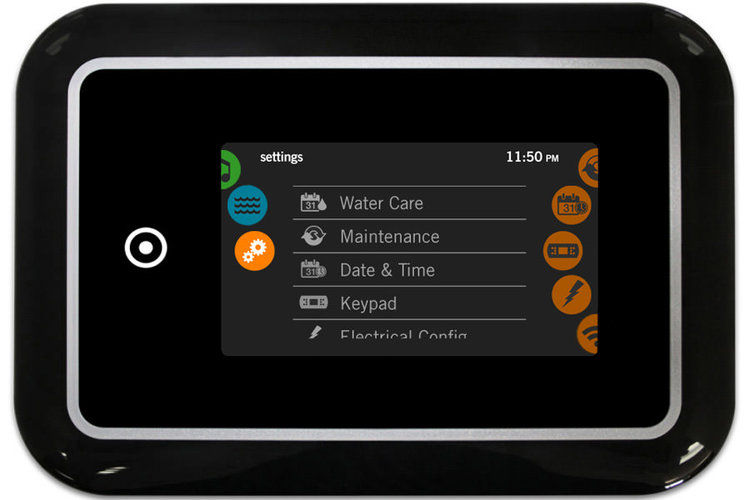
The Gecko IN.K1000 Touch Panel (TS-GCK10) is a premium full-colour touchscreen control interface designed for Gecko Y Series and X Series spa systems. Unlike traditional button-based topside controls, the IN.K1000 features a modern touchscreen display that provides intuitive, smartphone-like control of all spa functions.
Featuring generous dimensions of 190 mm × 130 mm, this touchscreen panel offers a large, easy-to-read display with responsive touch controls. The panel connects to compatible Gecko spa packs via the proprietary IN.LINK connection system, with a 3-metre cable length for flexible installation options. Operating at 12V, the IN.K1000 delivers safe, reliable performance.
The IN.K1000 represents the premium end of Gecko’s topside control range, offering a sophisticated user interface that elevates the spa experience. Ideal for spa manufacturers and owners seeking modern, intuitive controls, this touchscreen panel brings contemporary technology to hot tub operation.
⭐ Key Features
- ✅ Full Colour Touchscreen – Modern smartphone-like interface
- ✅ Y and X Series Compatible – Works with Gecko Y and X Series systems
- ✅ IN.LINK Connection – Gecko’s proprietary plug-and-play system
- ✅ Large Display – 190 mm × 130 mm for excellent visibility
- ✅ 3m Cable Length – Flexible installation positioning
- ✅ 12V Operation – Safe low voltage design
- ✅ Intuitive Interface – Easy-to-navigate touch controls
- ✅ Genuine Gecko Quality – Manufactured to Gecko Alliance standards
- ✅ Premium Design – Modern aesthetic for contemporary spas
🔧 Technical Specifications
| Specification | Value |
|---|---|
| Manufacturer | Gecko Alliance |
| Model | IN.K1000 |
| SKU | TS-GCK10 |
| Product Type | Touchscreen |
| Display Type | Full Colour Touch Screen |
| Control Method | Touch Screen |
| Panel Length | 190 mm |
| Panel Height | 130 mm |
| Cable Length | 3 m |
| Operating Voltage | 12V |
| Connection Type | IN.LINK |
| Compatible Systems | Y Series, X Series |
🔌 Compatibility Guide
This Touchscreen Panel is Compatible With:
| Spa Pack Series | Compatibility | Confirmed |
|---|---|---|
| Gecko Y Series | Full compatibility | ✅ |
| Gecko X Series | Full compatibility | ✅ |
NOT Compatible With:
- ❌ Balboa systems (BP, GS, GL Series)
- ❌ Gecko systems without IN.LINK ports
- ❌ Other manufacturer spa packs
Connection Requirements:
- Spa pack must be Gecko Y Series or X Series
- Spa pack must have IN.LINK port available
- 12V power supply from spa pack
📍 How to Verify Compatibility:
- Confirm your spa pack is Gecko Y Series or X Series
- Locate the IN.LINK port on your Gecko spa pack
- Check existing topside model if replacing
⚠️ Important: The IN.K1000 uses Gecko’s proprietary IN.LINK connection and is ONLY compatible with Gecko Y and X Series systems. This panel will NOT work with Balboa or other manufacturer systems.
🖥️ Touchscreen Interface
Display Features:
| Feature | Description |
|---|---|
| Screen Type | Full colour touchscreen |
| Interface | Touch-responsive controls |
| Display Size | Large format for easy viewing |
| Navigation | Intuitive menu system |
Control Capabilities:
The IN.K1000 touchscreen provides control over all spa functions configured in your Gecko Y or X Series system, which may include:
- Temperature adjustment and display
- Pump control (multiple pumps if configured)
- Blower control
- Lighting control
- Filtration settings
- Mode selection
- Error code display
- System diagnostics
Actual functions available depend on your specific spa pack configuration and connected equipment.
🔄 Gecko vs Balboa Comparison
Understanding System Differences:
| Feature | Gecko IN.K1000 | Balboa Topsides |
|---|---|---|
| Brand | Gecko Alliance | Balboa Water Group |
| Connection | IN.LINK | Various (phone plug, ribbon, RJ45) |
| Compatible Systems | Y Series, X Series | BP, GS, GL Series |
| Control Type | Touchscreen | Button-based (mostly) |
⚠️ Critical: Gecko and Balboa systems are NOT interchangeable. Always verify your spa pack brand before ordering.
⚙️ Purpose & Application
What is the IN.K1000?
The IN.K1000 is a premium touchscreen topside control panel for Gecko spa systems. It serves as the main user interface for controlling all spa functions, replacing traditional button-based panels with a modern touch interface.
Why Choose a Touchscreen?
| Benefit | Description |
|---|---|
| Modern Interface | Smartphone-like experience |
| Easy Navigation | Intuitive menu system |
| Large Display | Better visibility and readability |
| Premium Aesthetics | Contemporary look for modern spas |
| Flexible UI | Software-based interface can show more information |
Typical Applications:
- Premium hot tub installations
- Spa upgrades from button-based panels
- Replacement for faulty IN.K1000 panels
- New spa builds with Gecko Y or X Series systems
🛠️ Installation Guide
Before Installation:
- ⚠️ Disconnect power to spa at the isolator/breaker before any work
- ⚠️ Verify your spa pack is Gecko Y Series or X Series
- ⚠️ Locate the IN.LINK port on your spa pack
- ⚠️ Plan cable routing (3 m available length)
- ⚠️ Prepare mounting location for 190 mm × 130 mm panel
Installation Steps:
- Turn off power at the isolator/breaker
- Remove existing topside panel if replacing
- Prepare mounting location for the IN.K1000
- Route the 3 m cable from installation point to spa pack
- Connect the IN.LINK connector to the spa pack’s IN.LINK port
- Mount the IN.K1000 panel securely
- Ensure watertight seal around panel
- Restore power and test all functions
Mounting Information:
| Specification | Detail |
|---|---|
| Panel Size | 190 mm × 130 mm |
| Cable Length | 3 m |
| Connection | IN.LINK |
| Mounting | See Gecko installation documentation |
⚠️ Professional installation recommended for proper mounting and watertight sealing.
🔗 Wiring & Connection
Connector Information:
| Specification | Detail |
|---|---|
| Connector Type | IN.LINK |
| Cable Length | 3 metres |
| Operating Voltage | 12V |
Connection Location:
The IN.K1000 connects to the IN.LINK port on Gecko Y Series and X Series spa packs. The IN.LINK system provides a secure, proprietary connection specifically designed for Gecko equipment.
⚠️ Never force the connector. The IN.LINK plug should connect smoothly. If it doesn’t fit, verify you’re connecting to the correct port on a compatible Gecko system.
🔍 Troubleshooting
Common Issues:
| Problem | Possible Cause | Solution |
|---|---|---|
| Blank screen | No power or loose connection | Check power and reseat IN.LINK connector |
| Touch unresponsive | Screen calibration or fault | Refer to Gecko documentation |
| Error codes displayed | System issue | Refer to spa pack manual for error meanings |
| Intermittent operation | Cable damage or poor connection | Inspect cable and IN.LINK connector |
| Screen flickering | Power supply issue | Check 12V supply from spa pack |
Important Notes:
- Error codes are determined by the spa pack, not the touchscreen
- The IN.K1000 is ONLY compatible with Gecko Y and X Series
- For Balboa systems, you need a Balboa topside panel
🔩 Maintenance & Care
Routine Care:
| Task | Frequency |
|---|---|
| Wipe screen with soft damp cloth | Weekly |
| Check touch response | Monthly |
| Inspect cable condition | Annually |
| Check watertight seal | Annually |
DO NOT:
- ❌ Use abrasive cleaners on touchscreen
- ❌ Use solvent-based cleaners
- ❌ Press screen with sharp objects
- ❌ Submerge the panel
- ❌ Pull or stress the cable
Screen Care Tips:
- Use only soft, lint-free cloths
- Avoid excess moisture when cleaning
- Do not spray cleaners directly on screen
♨️ Ideal Applications
| Application | Suitability |
|---|---|
| ♨️ Gecko Y Series spa systems | ✅ Ideal |
| ♨️ Gecko X Series spa systems | ✅ Ideal |
| ♨️ Premium spa installations | ✅ Ideal |
| ♨️ Upgrade from button-based Gecko panels | ✅ Ideal |
| 🔄 Replacement for faulty IN.K1000 | ✅ Direct replacement |
| ❌ Balboa systems | ❌ Not compatible |
| ❌ Other manufacturer systems | ❌ Not compatible |
Common Installation Scenarios:
- 🛁 New Gecko Y or X Series spa builds
- 💆 Upgrading to touchscreen from button panel
- ♨️ Replacing damaged or faulty IN.K1000
- 🔄 Premium spa refurbishment projects
❓ Frequently Asked Questions
Q: What is the difference between Gecko and Balboa?
A: Gecko Alliance and Balboa Water Group are two different spa control system manufacturers. They use different connection systems and are NOT interchangeable. The IN.K1000 is a Gecko product for Gecko systems only.
Q: Is my spa compatible with the IN.K1000?
A: The IN.K1000 is compatible with Gecko Y Series and X Series spa packs. Check your spa pack label to confirm it’s a Gecko Y or X Series system.
Q: What is IN.LINK?
A: IN.LINK is Gecko’s proprietary connection system for their spa components. It provides plug-and-play connectivity between Gecko spa packs and accessories.
Q: What size is the touchscreen?
A: The IN.K1000 panel measures 190 mm × 130 mm.
Q: What is the cable length?
A: The cable length is 3 metres.
Q: Is this a replacement for button-based panels?
A: Yes, if your Gecko spa pack supports the IN.K1000, you can upgrade from a button-based topside to this touchscreen panel. Check compatibility with your specific spa pack model.
Q: Will this work with my Balboa spa?
A: No. The IN.K1000 is a Gecko product and only works with Gecko Y and X Series systems. For Balboa spas, you need a Balboa topside panel.
Q: What functions can I control?
A: The IN.K1000 can control all functions configured in your Gecko spa pack, including temperature, pumps, blower, lighting, and more. Actual functions depend on your specific spa configuration.
📄 Downloads & Resources
🏆 Why Choose the Gecko IN.K1000 (TS-GCK10)
- ✅ Full Colour Touchscreen – Modern, intuitive interface
- ✅ Y and X Series Compatible – Works with Gecko systems
- ✅ IN.LINK Connection – Proprietary plug-and-play
- ✅ Large Display – 190 mm × 130 mm for excellent visibility
- ✅ Premium Quality – Genuine Gecko Alliance product
- ✅ 3m Cable – Flexible installation options
- ✅ 12V Safety – Safe low voltage operation
🇬🇧 Why Buy from Parts4Tubs
- ✅ UK-based company with local support
- ✅ Fast UK delivery
- ✅ Expert advice from spa specialists
- ✅ Both Gecko and Balboa products available
- ✅ Compatibility assistance
- ✅ Full warranty support
- ✅ Easy returns within 30 days
✨ Summary
The Gecko IN.K1000 Touch Panel (TS-GCK10) is a premium full-colour touchscreen control interface designed for Gecko Y Series and X Series spa systems. Featuring a large 190 mm × 130 mm display with intuitive touch controls, this panel provides modern, smartphone-like operation of all spa functions. Connects via Gecko’s proprietary IN.LINK system with a 3-metre cable length. Compatible with Gecko Y and X Series ONLY – NOT for Balboa or other systems. Technical manual available. Order from Parts4Tubs for fast UK delivery and expert compatibility advice.
| Part# | 0607-005024 |
|---|
Related products
Control Boxes, Spa Packs & Topside Controls
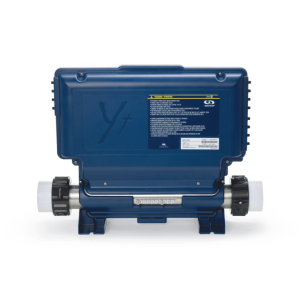
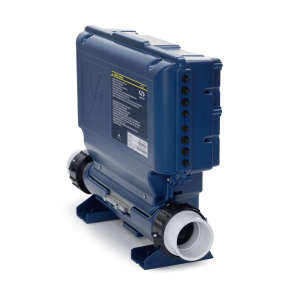
Gecko IN.YT-7 Control Box 4kW – High-Capacity Multi-Pump Spa Control System
Control Boxes, Spa Packs & Topside Controls
Control Boxes, Spa Packs & Topside Controls
Gecko IN.YJ-3-V3 Control Box Only – Compact Spa Controller for Small Footprint Spas
Control Boxes, Spa Packs & Topside Controls
Control Boxes, Spa Packs & Topside Controls
Control Boxes, Spa Packs & Topside Controls