
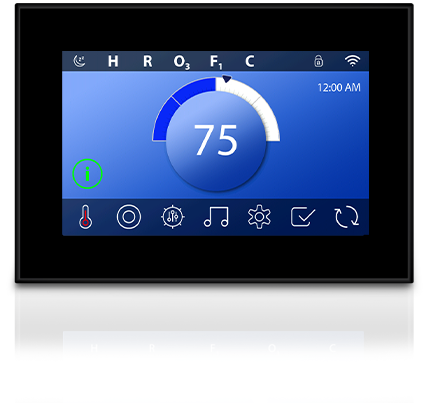
Balboa Spa Touch 3 Black Panel 5″ Display (ST3)
£344.76 Inc VAT
Out of stock
Want to be notified when this product is back in stock?
♨️ Balboa Spa Touch 3 Black Panel Topside Control – Compatible with BP Series Systems
Precision control for effortless hot tub management with sleek black styling
🎛️ Product Overview
The Balboa Spa Touch 3 Black Panel is a premium third-generation touchscreen topside control engineered for Balboa BP Series spa systems. With its sophisticated black frame design, this control panel offers a sleek, understated aesthetic that complements modern hot tub installations whilst delivering exceptional functionality.
Featuring a vibrant 5-inch capacitive colour touchscreen that delivers twice the brightness of its predecessor, the Spa Touch 3 ensures crystal-clear visibility whether you’re adjusting settings in bright daylight or under evening stars. The waterproof construction and fully potted motherboard provide robust protection against splashes and environmental contamination.
The intuitive icon-driven interface simplifies every aspect of spa management, from temperature adjustments to jet control and filter cycle programming. Whether you’re replacing a worn topside or upgrading from an older SpaTouch model, the black frame variant offers the same outstanding performance with a refined finish that blends seamlessly into any spa surround.
✨ Key Features
- ✅ High-Resolution Capacitive Touchscreen – 5-inch colour display with responsive touch technology that works even with wet fingers
- ✅ 2x Brighter Display – Significantly enhanced screen brightness compared to SpaTouch 2 for superior visibility in all conditions
- ✅ Sleek Black Frame – Sophisticated black bezel complements dark-coloured spa surrounds and modern installations
- ✅ Fully Potted Electronics – Protective gel coating seals the motherboard against moisture ingress for long-lasting durability
- ✅ BP Series Compatible – Works with all Balboa BP systems supporting TP800 and TP900 panels
- ✅ 7-Foot Cable with 4-Pin Molex – Generous 2.1-metre cable length provides flexible mounting options
- ✅ Complete Ready-to-Install Unit – No separate overlay required, ships complete
- ✅ Icon-Driven Navigation – Clear, intuitive symbols for temperature, jets, lighting, and settings
- ✅ Sleep/Wake Feature – Instantly activate or dim the display with quick taps
- ✅ Clim8zone Heat Pump Compatible – Version -07 supports Balboa Clim8zone and Clim8zone II heat pumps
⚙️ Technical Specifications
| Specification | Value |
|---|---|
| Compatible System | Balboa BP Series |
| Part Number | 57255, 57255-06, 57255-07 (also known as 28317, G8524) |
| Display Type | Capacitive Colour Touchscreen |
| Display Size | 5 inches (127 mm diagonal) |
| Panel Dimensions | 146 mm × 102 mm (L × W) |
| Panel Thickness | 9 mm (screen) / 23 mm (total depth) |
| Cutout Size | 128 mm × 83 mm (5″ × 3-5/16″) |
| Cable Length | 2.1 metres (7 feet) |
| Connector Type | 4-Pin Molex |
| Operating Voltage | 12V DC |
| Overlay Required | No – Complete unit |
| Frame Colour | Black |
| Panel Shape | Rectangular |
| Backlit Display | Yes |
| Waterproof | Yes – Fully potted electronics |
| Certifications | CE Marked |
🔄 Compatibility Guide
This Topside Control is Compatible With:
| Spa Pack Model | Series | Confirmed |
|---|---|---|
| BP100 | BP Series | ✅ |
| BP200G1, G2, G3 | BP Series | ✅ |
| BP200UX | BP Series | ✅ |
| BP501G1, G2, G3 | BP Series | ✅ |
| BP600 | BP Series | ✅ |
| BP601 | BP Series | ✅ |
| BP6013G1, 3G2, 3G3 | BP Series | ✅ |
| BP2000G1, G2, G3 | BP Series | ✅ |
| BP2100G1, G2, G3 | BP Series | ✅ |
| BP7 | BP Series | ✅ |
Systems Must Support: TP800 and/or TP900 topside panels for full functionality.
Heat Pump Compatibility:
- ✅ Version -07 is compatible with Balboa Clim8zone heat pump
- ✅ Version -07 is compatible with Balboa Clim8zone II heat pump
Limited Compatibility:
- ⚠️ Systems supporting only TP400 (Model T or W) and/or TP600 – Many screens will function correctly, but the spa screen may not display all equipment properly.
NOT Compatible With:
- ❌ Balboa EL Series spa packs
- ❌ Balboa GL Series spa packs
- ❌ Balboa GS Series spa packs (require VL series topsides)
How to Verify Compatibility:
📍 Locate your spa pack in the equipment compartment 📍 Check the label for the model number (e.g., BP501G2, BP2100G1) 📍 Verify your existing topside uses a 4-pin Molex connector 📍 Contact Parts4Tubs if you require assistance confirming compatibility
⚠️ Important: Topside controls are system-specific. Installing an incompatible topside will result in error codes or non-functioning controls.
📟 Display & Controls
Home Screen Features:
| Display Element | Function |
|---|---|
| Temperature Display | Shows current water temperature and set point |
| Mode Indicator | Displays Ready Mode, Rest Mode, or current operating status |
| Filter Cycle Status | Shows F1 or F2 when filter cycles are running |
| Heating Indicator | Displays when heater is actively warming water |
| Ozone Status | Shows O3 when ozone system is operating |
| High Temperature Alert | Indicates H when high temp range is selected |
| Clean-up Cycle | Shows C when clean-up cycle is active |
Touch Control Functions:
| Control | Action |
|---|---|
| Temperature Adjustment | Tap temperature area, use on-screen controls to adjust set point |
| Jets | Tap jet icons to cycle through off, low, and high speeds |
| Lighting | Tap light icon to control spa lighting and Chromazon3 features |
| Settings | Access filter cycles, heat modes, time settings, and preferences |
| Sleep/Wake | Double-tap to wake panel, single-tap sleep button to dim |
| Lock | Enable panel lock to prevent accidental changes |
Error Code Display: The topside displays diagnostic error codes generated by the spa pack. Common codes include:
- OH – Overheat condition detected
- Pr – Priming mode active
- dr – Inadequate water detected
- HL – High limit switch activated
- FLO – Flow switch issue
Refer to your spa pack manual for complete error code definitions.
🛠️ Installation Guide
Before Installation:
- ⚠️ Disconnect power to the spa at the isolator or circuit breaker
- ⚠️ Verify the Spa Touch 3 is compatible with your spa pack model
- ⚠️ Confirm the 7-foot cable length is sufficient to reach from mounting location to spa pack
- ⚠️ Check that your cutout matches the required 128 mm × 83 mm dimensions
Installation Steps:
- Isolate Power – Turn off power at the main isolator and confirm spa is completely de-energised
- Remove Existing Panel – Carefully release clips or remove screws securing the old topside
- Disconnect Old Cable – Unplug the existing topside connector from the spa pack
- Route New Cable – Thread the Spa Touch 3 cable through to the spa pack location
- Connect to Spa Pack – Insert the 4-pin Molex connector into the appropriate port on the spa pack
- Mount New Panel – Position the Spa Touch 3 in the cutout and secure with clips or mounting hardware
- Restore Power – Re-energise the spa and verify the touchscreen activates
Mounting Requirements:
| Requirement | Specification |
|---|---|
| Cutout Size | 128 mm × 83 mm (5″ × 3-5/16″) |
| Mounting Type | Snap-in with clips |
| Recommended Angle | Minimum 10° angle from horizontal |
| Cover Clearance | Ensure spa cover does not contact touchscreen surface |
💡 Tip: An adapter plate is available separately if your existing cutout is slightly larger than required.
⚠️ Professional installation is recommended if you are unfamiliar with spa electrical systems. Incorrect installation may void the warranty.
🔗 Wiring & Connection
Connector Information:
| Specification | Detail |
|---|---|
| Connector Type | 4-Pin Molex |
| Pin Configuration | 4 black plastic pins in grid formation |
| Cable Length | 2.1 metres (7 feet) |
| Cable Type | Low-voltage data cable |
| Extension Available | Yes – Balboa extension cables available separately |
Connection Location: The Spa Touch 3 connects to the topside port on your Balboa BP series spa pack. This is typically labelled as:
- “TP” or “Topside” on BP501 systems
- Panel connector port on BP2100 systems
⚠️ Never force the connector. The 4-pin Molex should insert smoothly. If resistance is encountered, verify you have the correct orientation and compatible spa pack.
⚠️ Troubleshooting
Common Issues:
| Problem | Possible Cause | Solution |
|---|---|---|
| Blank display | No power to spa pack | Check isolator and circuit breaker are on |
| Blank display | Loose cable connection | Verify Molex connector is fully seated at spa pack |
| Display flickers | Damaged cable | Inspect cable for damage, replace if necessary |
| Touchscreen unresponsive | Panel in sleep mode | Double-tap screen to wake |
| Touchscreen unresponsive | Panel lock enabled | Check if lock icon is displayed, follow unlock procedure |
| Error codes displayed | Spa pack fault | Refer to spa pack manual for specific error meanings |
| Incorrect temperature shown | Sensor fault | Temperature sensor issue – not topside related |
| Jets won’t activate | Spa in priming mode | Wait for priming cycle to complete |
Resetting the Panel: If the touchscreen becomes unresponsive, power cycle the spa by turning off the isolator for 30 seconds, then restoring power.
Error Codes: Error codes are generated by the spa pack control system, not the topside panel. The Spa Touch 3 simply displays these codes. Consult your Balboa BP series spa pack manual for error code definitions and resolution steps.
🔧 Maintenance & Care
Routine Care:
| Task | Frequency |
|---|---|
| Wipe screen with soft damp cloth | Weekly |
| Check display clarity and responsiveness | Monthly |
| Inspect cable connection at spa pack | Annually |
| Verify all touch functions operate correctly | Annually |
Cleaning Guidelines:
- ✅ Use a soft, lint-free cloth dampened with water
- ✅ Mild soap solution is acceptable for stubborn marks
- ✅ Dry thoroughly after cleaning
DO NOT:
- ❌ Use abrasive cleaners or scouring pads
- ❌ Apply solvents, alcohol, or chemical cleaners
- ❌ Submerge the panel in water
- ❌ Use high-pressure water spray directly on the touchscreen
- ❌ Press the screen with sharp objects
Black Frame Care: The black frame finish is durable but may show water spots more readily than lighter colours. Regular wiping with a soft cloth will keep your panel looking pristine.
🎯 Ideal Applications
| Application | Suitability |
|---|---|
| ♨️ Replacement for faulty SpaTouch topside | ✅ Ideal |
| ♨️ Upgrade from SpaTouch 1 or SpaTouch 2 | ✅ Ideal |
| ♨️ Hot tubs with dark-coloured surrounds | ✅ Ideal aesthetic match |
| ♨️ Replacement for damaged TP800 or TP900 button panels | ✅ Compatible |
| ♨️ Spas with Balboa Clim8zone heat pumps (version -07) | ✅ Compatible |
| ♨️ Swim spas with Balboa BP Series systems | ✅ Compatible |
Common Replacement Scenarios:
- Cracked or physically damaged touchscreen
- Unresponsive or intermittent touch functionality
- Water damage to existing panel
- Faded or dim display (upgrading from older models)
- Aesthetic upgrade to match dark spa cabinet
- Upgrading from button-style TP panels to touchscreen interface
Replaces Part Numbers: 57179, 57180, 57255, 57329, 58-138-3386, 58-138-3452, G8524, 34-57179-K, 34-57328-K, Coast Spas 57417, Clearwater 57234-03, 57368, 57234
❓ Frequently Asked Questions
Q: What is the difference between the black frame and clear frame versions? A: Both versions have identical functionality and specifications. The only difference is the frame colour – black (57255) vs clear (57254). Choose based on which best matches your spa’s aesthetic.
Q: How do I know if this topside is compatible with my spa? A: Check your spa pack model number on the label (typically in the equipment bay). The Spa Touch 3 is compatible with Balboa BP Series systems including BP100, BP501, BP600, BP601, BP2000, BP2100, and BP7 models that support TP800/TP900 panels. Contact Parts4Tubs if you need assistance verifying compatibility.
Q: Is the overlay included? A: Yes, the Spa Touch 3 is a complete unit with an integrated touchscreen – no separate overlay is required or available.
Q: What is the cable length? A: The cable length is 2.1 metres (7 feet). Extension cables are available separately from Balboa if you require a longer reach.
Q: Will this work with my Clim8zone heat pump? A: Yes, but you need the version -07 variant specifically. This version is compatible with both Clim8zone and Clim8zone II heat pumps.
Q: Will this display error codes? A: Yes, the Spa Touch 3 displays all error codes generated by your spa pack. The codes themselves are determined by the spa pack, so refer to your Balboa BP series manual for error definitions.
Q: Can I install this myself? A: If you are comfortable working with spa electronics and can safely isolate power, DIY installation is straightforward. The panel connects via a single 4-pin Molex plug. However, if you are unfamiliar with spa systems, professional installation is recommended.
Q: What warranty is included? A: The Balboa Spa Touch 3 is covered by the manufacturer warranty. Contact Parts4Tubs for full warranty terms and conditions.
Q: My current cutout is slightly larger – will this still fit? A: An adapter plate is available separately from Balboa to accommodate slightly larger cutouts.
📥 Downloads & Resources
📄 SpaTouch 3 User Guide (English) – Complete operation manual
🌟 Why Choose the Balboa Spa Touch 3 Black
- ✅ Premium Aesthetics – Sleek black frame complements modern spa designs and dark surrounds
- ✅ Industry-Leading Technology – Third-generation touchscreen from the world’s largest spa control manufacturer
- ✅ Enhanced Visibility – 2x brighter display ensures clear viewing in any lighting condition
- ✅ Robust Protection – Fully potted electronics withstand moisture and environmental exposure
- ✅ Heat Pump Ready – Version -07 supports Clim8zone integration for efficient heating
- ✅ Seamless Upgrade – Direct replacement for older SpaTouch models and TP800/TP900 button panels
- ✅ User-Friendly Interface – Intuitive icon-driven menus for effortless spa management
🤝 Why Buy from Parts4Tubs
- ✅ UK-based company with local customer support
- ✅ Fast UK delivery on in-stock items
- ✅ Expert advice from hot tub and spa specialists
- ✅ Compatibility assistance – we can help verify the right part for your spa
- ✅ Full warranty support and after-sales service
- ✅ Easy returns within 30 days
- ✅ Genuine Balboa products sourced from authorised channels
- ✅ Extension cables and adapter plates available
💫 Summary
The Balboa Spa Touch 3 Black Panel combines sophisticated styling with advanced touchscreen technology for Balboa BP Series hot tubs. With its sleek black frame, vibrant 5-inch capacitive display, and waterproof construction, this premium topside control offers both aesthetic appeal and reliable performance. Compatible with all major BP series spa packs and Clim8zone heat pumps (version -07), the Spa Touch 3 Black is the perfect choice for modern spa installations. Order from Parts4Tubs for fast UK delivery and expert support.
You may also like…
Balboa Control Boxes Only
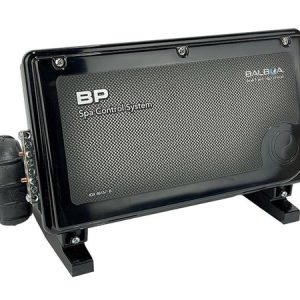
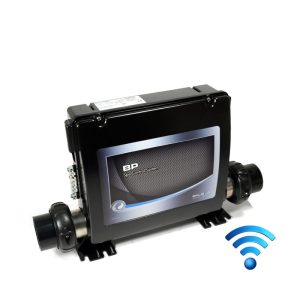
Balboa BP6013G2 Smart Spa Control System | 3.0kW | Triple-Pump with M7 Technology
Control Boxes, Spa Packs & Topside Controls
Control Boxes, Spa Packs & Topside Controls
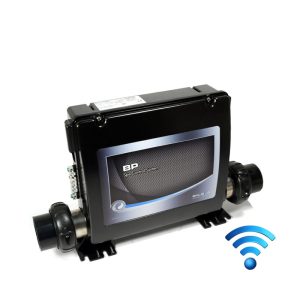
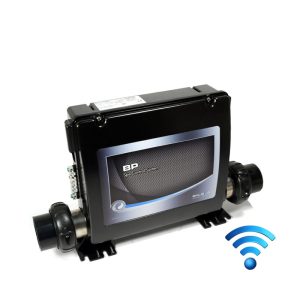
Balboa BP6013G3 Spa Control System | 3.0kW | Triple-Pump with M7 Technology
Control Boxes, Spa Packs & Topside Controls
Control Box Only
Control Boxes, Spa Packs & Topside Controls
Control Boxes, Spa Packs & Topside Controls
Control Boxes, Spa Packs & Topside Controls
Related products
Control Boxes, Spa Packs & Topside Controls
Control Boxes, Spa Packs & Topside Controls
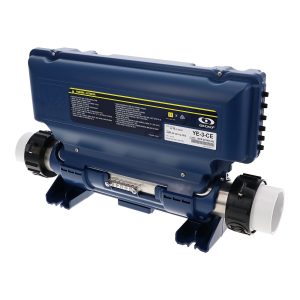
Gecko IN.YE-3 Control Box 2kW (V3) – Complete Spa Control System
Control Boxes, Spa Packs & Topside Controls
Control Boxes, Spa Packs & Topside Controls
Gecko IN.YE-3 Control Box 3kW (V2) – Reliable Spa Control System
Control Boxes, Spa Packs & Topside Controls
Control Boxes, Spa Packs & Topside Controls