
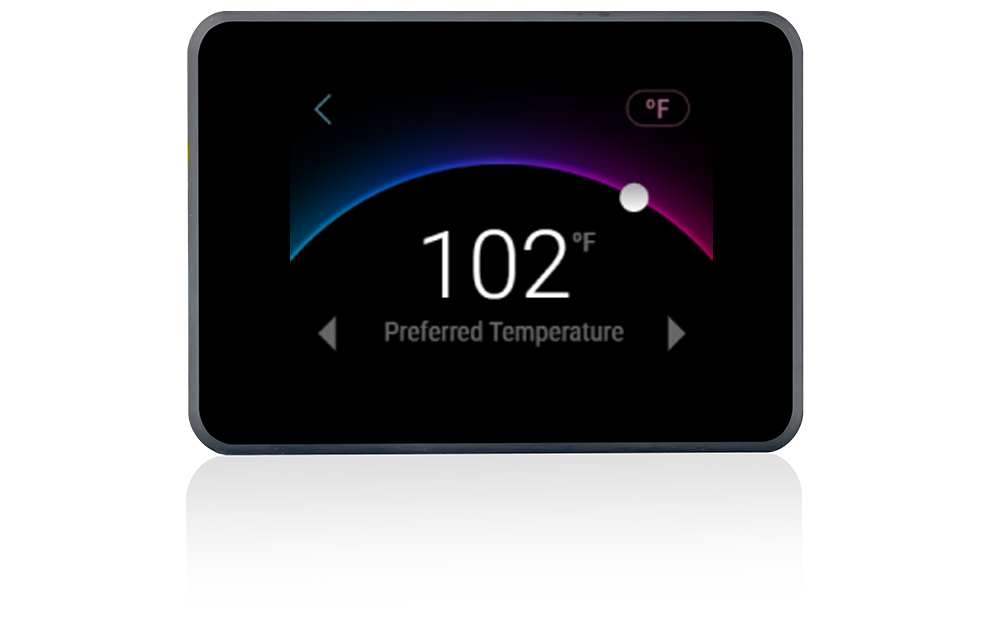
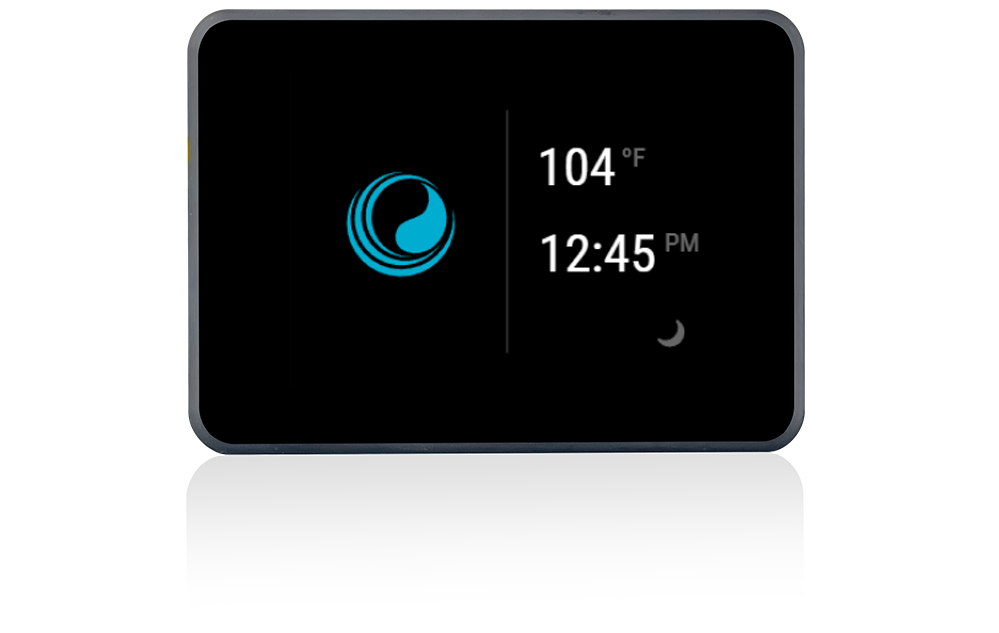

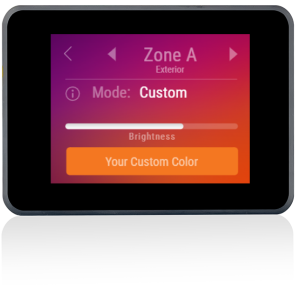
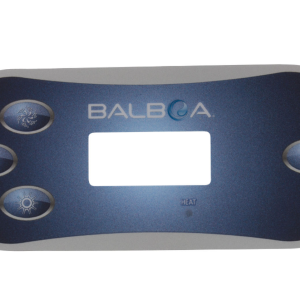
Balboa SpaTouch Mini Topside Control Panel – Compatible with Balboa BP Series
£258.00 Inc VAT
9 in stock
♨️ Balboa SpaTouch Mini Topside Control Panel – Compatible with Balboa BP Series
Advanced touchscreen technology for effortless spa control in a compact, space-saving design
📋 Product Overview
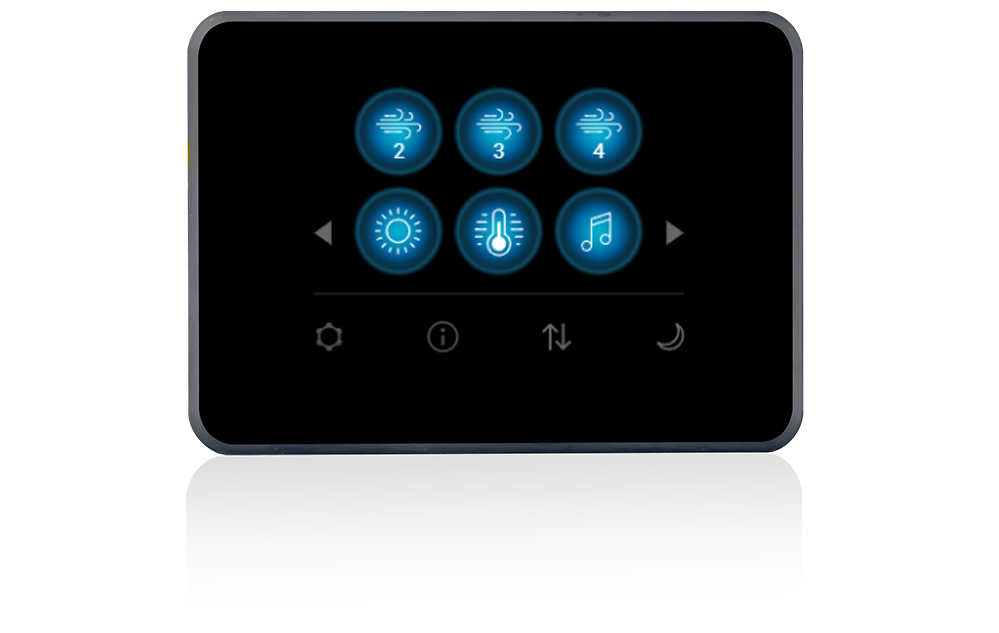
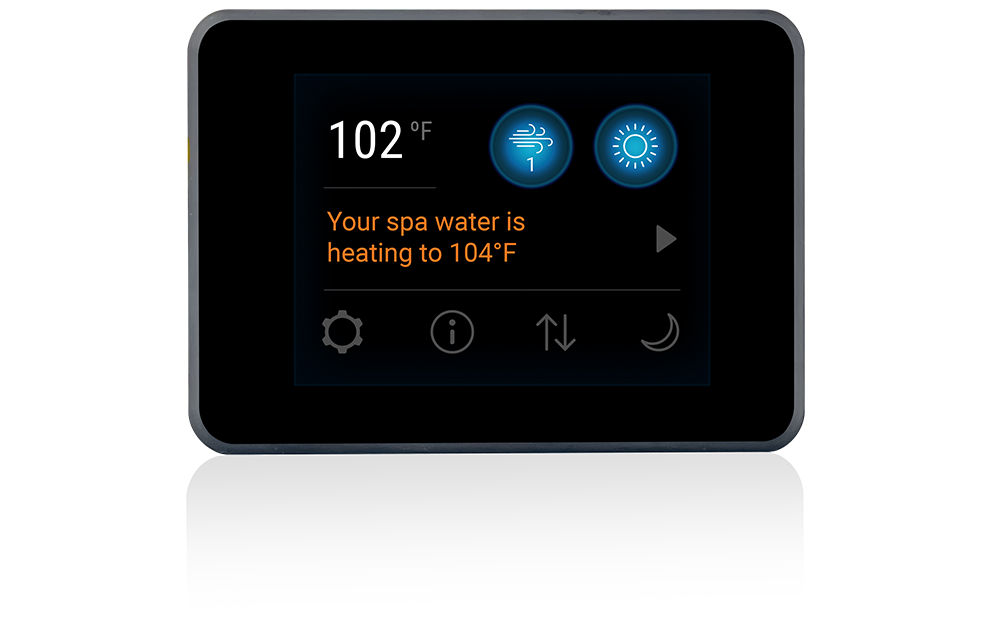
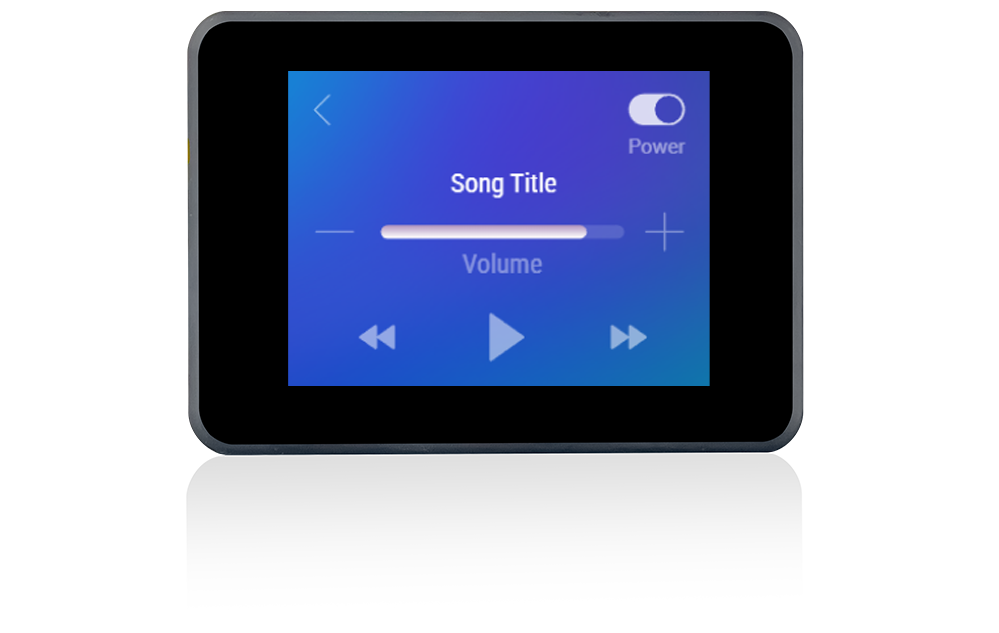
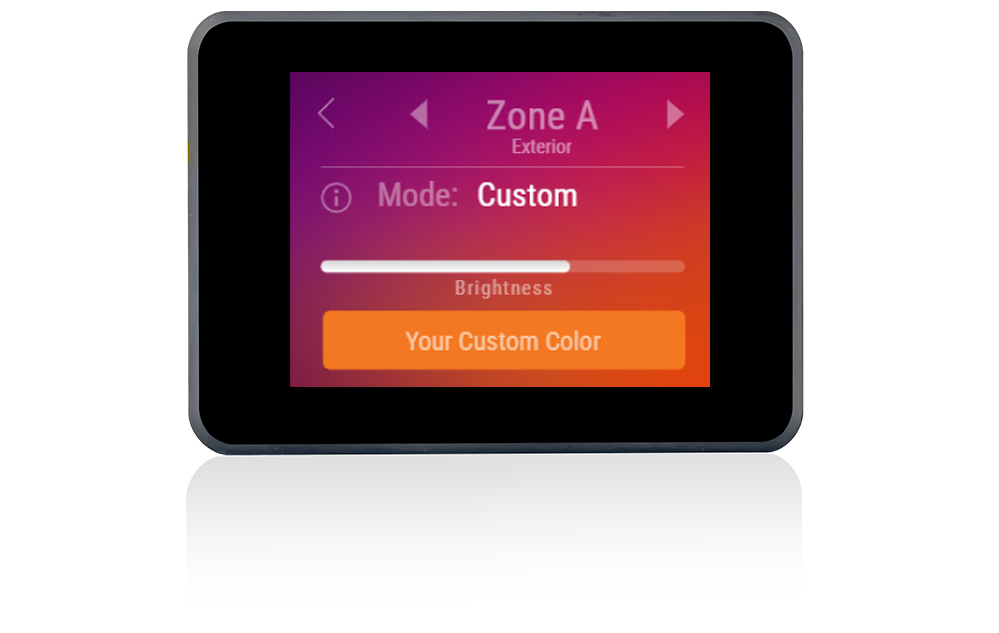
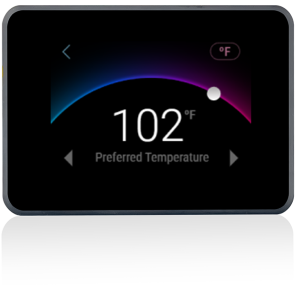
The Balboa SpaTouch Mini represents the cutting edge of spa control technology, bringing intuitive touchscreen operation to your hot tub in the smallest form factor of the entire SpaTouch range. This premium topside control panel features a high-resolution 2.8″ colour touchscreen that delivers crystal-clear visuals and responsive touch controls, even in wet spa environments.
Designed specifically for Balboa BP Series control systems, the SpaTouch Mini provides comprehensive control over every aspect of your spa experience, from temperature adjustment and pump activation to lighting control and advanced filtration programming. The capacitive touchscreen technology ensures reliable operation whether your fingers are wet or dry, making it the perfect companion for spa-side control.
Engineered with Balboa’s signature quality, the SpaTouch Mini features a fully potted motherboard that creates a watertight seal, protecting the internal electronics from moisture, splashes, and contamination. The impact-resistant construction ensures years of reliable service, even in demanding outdoor environments. Whether you’re upgrading from an older TP series panel or replacing a faulty topside, the SpaTouch Mini offers professional-grade performance in a remarkably compact package.
⭐ Key Features
✅ 2.8″ High-Resolution Colour Touchscreen – Crystal-clear display with vibrant colours provides excellent visibility in all lighting conditions, from bright sunshine to evening relaxation
✅ Compatible with All Balboa BP Series Systems – Works seamlessly with BP200, BP600, BP6013, and BP2100 series spa packs with software version 7.0 and higher
✅ Water-Friendly Capacitive Touch – Responsive touch technology works reliably with wet fingers, ensuring effortless operation during spa use
✅ Fully Potted Electronics – Specialised gel coating creates a watertight seal around the motherboard, providing unparalleled protection against moisture ingress
✅ Compact Space-Saving Design – The smallest panel in the SpaTouch range, ideal for installations where space is limited or for secondary control positions
✅ Tap to Wake Function – Three quick taps activate the screen, preventing accidental activation from water splashes whilst maintaining instant accessibility
✅ 7-Foot Cable Length – Generous 2.1-metre cable provides flexible installation options without requiring extension cables in most applications
✅ 4-Pin Molex Connector – Secure grid-formation connector ensures reliable connection to your spa pack
✅ Impact-Resistant Construction – Premium materials withstand the demands of the spa environment for long-lasting durability
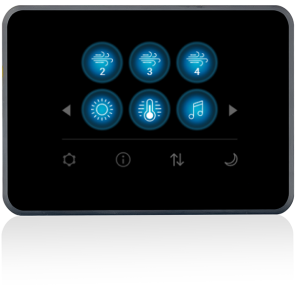
✅ Comprehensive Spa Control – Full access to temperature, pumps, jets, lighting, filtration cycles, heat modes, and error diagnostics
✅ Compatible with Clim8zone Heat Pumps – Seamlessly integrates with Balboa Clim8zone and Clim8zone II heat pump systems
✅ Replaces TP800/TP900 Panels – Perfect upgrade or replacement solution for discontinued TP series topside controls
🔧 Technical Specifications
| Specification | Value |
|---|---|
| Compatible System | Balboa BP Series (BP200, BP600, BP6013, BP2100) |
| Manufacturer Part Numbers | 57380, 57381, TS-ST380 |
| Display Type | High-resolution colour touchscreen |
| Display Size | 2.8″ (71mm diagonal) |
| Screen Dimensions | 86mm × 61mm |
| Panel Dimensions | 87mm × 62mm |
| Cutout Size | 72mm × 50mm (rectangular) or 51mm diameter (round) |
| Number of Buttons | Full touchscreen interface |
| Cable Length | 2.1m (7 feet) |
| Connector Type | 4-pin Molex (grid formation) |
| Operating Voltage | 12V DC |
| Touch Technology | Water-friendly capacitive touch |
| Protection | Fully potted (watertight sealed) |
| Material | Impact-resistant premium materials |
| Minimum Software Version | 7.0 |
| Colour | Black |
🔗 Compatibility Guide
This Topside Control is Compatible With:
| Spa Pack Model | Series | Confirmed |
|---|---|---|
| BP200G1 | BP200 Generation 1 | ✅ |
| BP200G2 | BP200 Generation 2 | ✅ |
| BP200G3 | BP200 Generation 3 | ✅ |
| BP200UX | BP200 UX Series | ✅ |
| BP600 | BP600 Series | ✅ |
| BP6013G1 | BP6013 Generation 1 | ✅ |
| BP6013G2 | BP6013 Generation 2 | ✅ |
| BP6013G3 | BP6013 Generation 3 | ✅ |
| BP2100G1 | BP2100 Generation 1 | ✅ |
| BP2100G2 | BP2100 Generation 2 | ✅ |
| BP2100G3 | BP2100 Generation 3 | ✅ |
Additional Compatibility:
| System/Accessory | Compatibility |
|---|---|
| Clim8zone Heat Pump | ✅ Compatible |
| Clim8zone II Heat Pump | ✅ Compatible |
| Chromazon3 Lighting | ✅ Compatible |
| bba3 Bluetooth Audio | ✅ Compatible |
| ControlMySpa Wi-Fi | ✅ Compatible |
| Balboa Worldwide App | ✅ Compatible |
NOT Compatible With:
- ❌ VS Series spa packs (VS100, VS300, VS500, VS501)
- ❌ GS Series spa packs (GS100, GS500, GS501, GS523)
- ❌ EL/GL Series spa packs
- ❌ Non-Balboa control systems
- ❌ BP Series systems with software below version 7.0
How to Verify Compatibility:
📍 Locate your spa pack (control box) and check the model label for “BP” designation
📍 Verify the software version is 7.0 or higher (visible in the topside settings menu)
📍 Check the existing topside connector matches the 4-pin Molex grid formation
📍 Contact Parts4Tubs if you need assistance confirming compatibility
⚠️ Important: Topside controls are system-specific. Installing an incompatible topside will not function and may display error codes. Always verify your spa pack model before ordering.
🖥️ Display & Controls
Main Screen Information:
| Display Element | Shows |
|---|---|
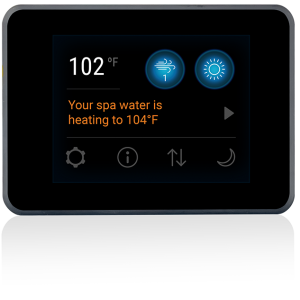
| Water Temperature | Current actual water temperature |
| Set Temperature | Target temperature (adjustable) |
| Temperature Range | High (H) or Low (L) range indicator |
| Heat Mode | Ready (R), Rest, or Ready-in-Rest (RR) |
| Heat Status | Heating indicator icon |
| Filter Cycle | F1, F2, or F12 when filtration is active |
| Ozone Status | O3 indicator when ozone is running |
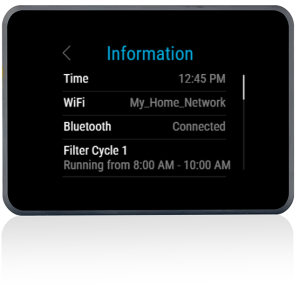
| Time of Day | Current time display |
| Lock Status | Panel lock indicator |
| Wi-Fi Status | Connection status when using ControlMySpa |
| Cleanup Cycle | Active cleanup indicator (if enabled) |
Screen Navigation:
| Action | Function |
|---|---|
| Tap Screen | Wake from sleep mode (3 quick taps) |
| Tap Temperature | Adjust set temperature up/down |
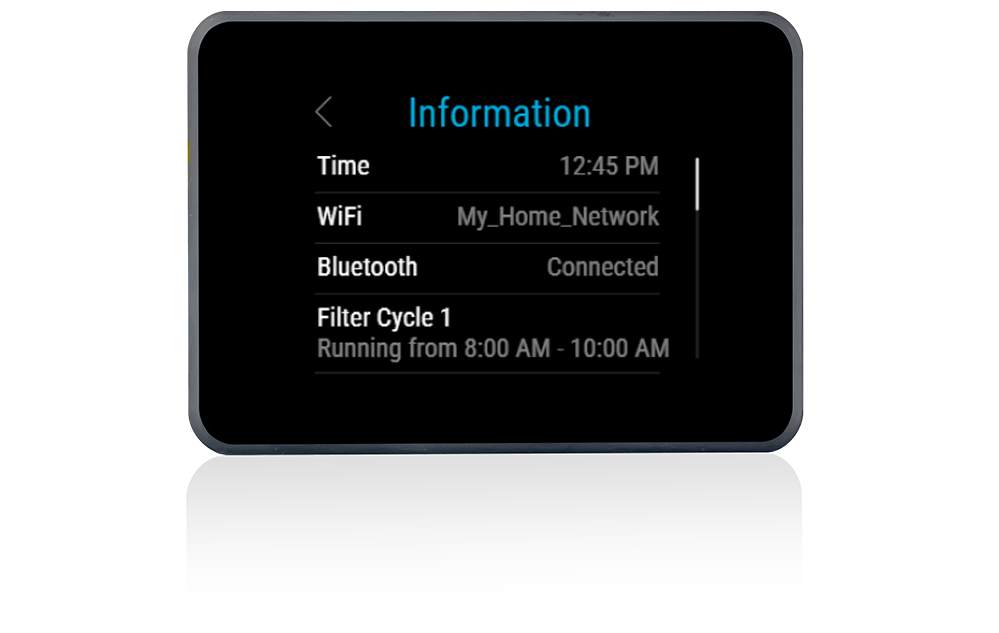
| Swipe Down | Access Settings menu |
| Swipe Right | Access Spa devices screen |
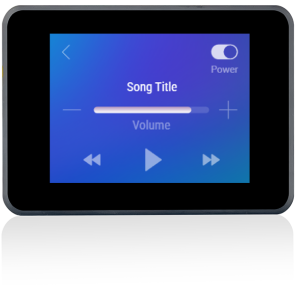
| Swipe Up | Access music controls (if bba3 installed) |
| Back Button | Return to previous screen |
| Menu Icon | Access main menu and all settings |
Available Functions:
| Function Category | Controls Available |
|---|---|
| Temperature | Set temperature, High/Low range selection |
| Pumps | Pump 1, Pump 2 (speed selection if dual-speed) |
| Jets | All configured jet functions |
| Lighting | Spa light, Chromazon3 colour control |
| Blower | Air blower activation (if equipped) |
| Filtration | Filter cycle programming, duration settings |
| Heat Mode | Ready/Rest mode selection |
| Clim8zone | Heat pump control (if equipped) |
| Audio | bba3 Bluetooth music control (if equipped) |
| Hold Mode | Temporarily suspend spa operations |
| Lock | Panel lock and settings lock |
⚙️ Installation Guide
Before Installation:
⚠️ DISCONNECT POWER to the spa at the isolator/breaker before any work
⚠️ Verify compatibility with your BP Series spa pack and software version 7.0+
⚠️ Check the 2.1m cable length is sufficient for your installation
⚠️ Inspect the new panel and connector for any shipping damage
Installation Steps:
- Isolate Power – Turn off power at the main isolator or circuit breaker. Verify power is completely off before proceeding.
- Remove Old Topside – Carefully remove the existing topside panel from its mounting position. Note how it was secured (snap-in, screws, or adhesive).
- Disconnect Cable – Locate where the topside cable connects to the spa pack. Carefully disconnect the existing cable from the PCB connector port.
- Connect New Topside – Connect the SpaTouch Mini’s 4-pin Molex connector to the topside port on your BP Series spa pack. Ensure the connector clicks securely into place.
- Route Cable – Route the cable neatly, avoiding hot surfaces, sharp edges, and moving components. Use cable ties if necessary to secure the cable path.
- Mount New Topside – Position the SpaTouch Mini in the mounting location. The unit features a compact design that may require an adapter plate if replacing a larger panel.
- Seal Installation – Apply appropriate silicone sealant around the edges if required to create a watertight seal (use spa-safe silicone only).
- Restore Power – Turn on power at the isolator/breaker. The SpaTouch Mini should initialise and display the main screen.
- Test Functions – Test all spa functions including pumps, heating, and lighting to verify proper operation.
Mounting:
| Requirement | Specification |
|---|---|
| Cutout Size (rectangular) | 72mm × 50mm |
| Cutout Size (round option) | 51mm diameter |
| Panel Face Size | 87mm × 62mm |
| Mounting Type | Panel snap-fit or surface mount |
| Adapter Plate | May be required when replacing larger panels |
| Gasket/Seal | Silicone sealant recommended (spa-safe) |
💡 Tip: If replacing a TP800 or TP900 panel, you may need an adapter plate to cover the larger cutout. These are available separately.
⚠️ Professional installation is recommended if you are unfamiliar with spa electrical systems or if local regulations require qualified personnel.
🔌 Wiring & Connection
Connector Information:
| Specification | Detail |
|---|---|
| Connector Type | 4-pin Molex (grid formation) |
| Cable Length | 2.1 metres (7 feet) |
| Cable Type | Pre-wired, factory terminated |
| Extension Available | Yes, extension cables available separately |
Connection Location:
The SpaTouch Mini connects to the topside control port on Balboa BP Series spa packs. This is typically labelled on the PCB and uses a matching 4-pin Molex connector.
Connection Tips:
📍 The connector is keyed and can only insert in one orientation
📍 Listen for a click to confirm the connector is fully seated
📍 Do not force the connection – if it doesn’t fit easily, verify you have the correct port
📍 Ensure no cable strain on the connector
⚠️ Never force the connector. If it doesn’t fit, verify compatibility with your spa pack before proceeding.
🔍 Troubleshooting
Common Issues:
| Problem | Possible Cause | Solution |
|---|---|---|
| Blank display | No power to spa pack | Check isolator and RCD/GFCI breaker |
| Blank display | Loose cable connection | Reseat the 4-pin connector at spa pack |
| Blank display | Faulty topside | Test with known working panel |
| Display won’t wake | Normal sleep mode | Tap screen 3 times quickly |
| Touch unresponsive | Moisture on screen | Dry the screen surface |
| Touch unresponsive | Faulty touch sensor | Contact supplier for support |
| Error codes displayed | System fault | Refer to spa pack manual for error meanings |
| Partial display | Display fault | Panel replacement may be required |
| Incorrect readings | Temperature sensor issue | Check temperature sensor connections |
| Can’t adjust settings | Panel locked | Unlock panel via settings menu |
| Won’t connect to app | Wi-Fi module required | Ensure ControlMySpa module is installed |
Error Codes:
Error codes are determined by the spa pack, not the topside panel. The SpaTouch Mini displays error messages from your BP Series control system.
Common BP Series error messages include:
| Message | Meaning |
|---|---|
| Priming | System is in priming mode – normal on startup |
| OH / OHH | Overheat condition – shut down and investigate |
| HL | High limit sensor activated |
| Sn / SnA / SnB | Temperature sensor fault |
| Flo / FLC | Flow/pressure switch issue |
| dr / dry | Heater may be dry/no water flow |
Refer to your BP Series spa pack documentation for complete error code explanations and troubleshooting procedures.
🛠️ Maintenance & Care
Routine Care:
| Task | Frequency |
|---|---|
| Wipe with soft damp cloth | Weekly |
| Check for display clarity | Monthly |
| Inspect cable for damage | Every 3 months |
| Verify all functions work | Every 3 months |
| Check seal/gasket condition | Annually |
DO NOT:
❌ Use abrasive cleaners or scourers on the touchscreen
❌ Use solvent-based cleaners or harsh chemicals
❌ Submerge the panel in water
❌ Press the touchscreen with sharp objects
❌ Allow chemical splashes to remain on the screen
❌ Use high-pressure water jets near the panel
Cleaning Recommendations:
Use only a soft, lint-free cloth dampened with clean water. For stubborn marks, a small amount of mild dish soap diluted in water may be used. Always dry the screen after cleaning.
Screen Protection:
The SpaTouch Mini features a durable touchscreen designed for spa environments. However, prolonged exposure to direct sunlight may affect screen visibility over time. Consider a spa cover or shade when not in use.
🎯 Ideal Applications
| Application | Suitability |
|---|---|
| ♨️ Replacement for faulty BP Series topside | ✅ Ideal |
| ♨️ Upgrade from TP800/TP900 panels | ✅ Ideal |
| ♨️ Upgrade from TP400/TP500/TP600 panels | ✅ Compatible |
| ♨️ Secondary/auxiliary control panel | ✅ Excellent |
| ♨️ Space-limited installations | ✅ Perfect |
| ♨️ Swim spa applications | ✅ Compatible |
| ♨️ Hot tub refurbishment projects | ✅ Excellent |
| ♨️ Clim8zone heat pump installations | ✅ Compatible |
Common Replacement Scenarios:
📍 Cracked, damaged, or water-damaged display
📍 Unresponsive or intermittent touchscreen
📍 Faded or difficult-to-read display
📍 Upgrading from older button-style panels to touchscreen
📍 Replacing discontinued TP800 or TP900 panels
📍 Adding a secondary control point to your spa
📍 Installing as part of a spa pack replacement/upgrade
❓ Frequently Asked Questions
Q: How do I know if this topside is compatible with my spa?
A: The SpaTouch Mini is compatible with all Balboa BP Series spa packs (BP200, BP600, BP6013, BP2100) running software version 7.0 or higher. Check your spa pack label for the “BP” model designation. If you’re unsure, contact Parts4Tubs with your spa pack model number for confirmation.
Q: Will this work with my VS or GS Series Balboa system?
A: No, the SpaTouch Mini is only compatible with BP Series systems. VS and GS Series systems use different connector types and communication protocols. Contact Parts4Tubs for compatible topside options for VS/GS systems.
Q: Is an overlay included?
A: No overlay is required. The SpaTouch Mini is a complete touchscreen unit – all controls are on the digital display. There is no separate overlay to wear out or replace.
Q: What is the cable length?
A: The cable length is 2.1 metres (7 feet). This is sufficient for most installations. Extension cables are available separately if a longer reach is required.
Q: Can this replace my TP600 or TP400 panel?
A: Yes, the SpaTouch Mini can replace TP400, TP500, TP600, TP800, and TP900 panels on BP Series systems. Note that you may need an adapter plate to cover a larger existing cutout.
Q: What size hole do I need to cut?
A: The standard cutout is 72mm × 50mm (rectangular). A 51mm diameter round cutout may also be used. If replacing an existing panel, the SpaTouch Mini’s compact size may require an adapter plate to cover the previous panel’s larger cutout.
Q: Will this display error codes?
A: Yes, the SpaTouch Mini displays all error codes and messages generated by your BP Series spa pack. The error codes are determined by your spa pack – refer to your spa pack documentation for specific error meanings.
Q: Can I install this myself?
A: If you’re comfortable working with spa electronics and can safely isolate the power supply, DIY installation is straightforward. The connection is plug-and-play with no wiring required. However, professional installation is recommended if you’re unfamiliar with spa equipment or if local regulations require qualified personnel.
Q: How do I wake up the screen from sleep mode?
A: The SpaTouch Mini uses a “Tap to Wake” feature. Simply tap the screen three times quickly to wake it from sleep mode. This prevents accidental activation from water splashes.
Q: What warranty is included?
A: Warranty coverage varies by supplier. Contact Parts4Tubs for full warranty terms and conditions on this product.
Q: Can I use this with the Balboa Wi-Fi app?
A: Yes, when used with a ControlMySpa Wi-Fi module (sold separately), you can control your spa remotely using the Balboa Worldwide App. The SpaTouch Mini displays the Wi-Fi connection status on screen.
Q: My spa pack has software below version 7.0 – can I still use this?
A: The SpaTouch Mini requires software version 7.0 or higher. If your spa pack has older software, you may need to contact Balboa or a qualified technician to enquire about a software update, or consider alternative topside options.
📥 Downloads & Resources
📄 SpaTouch Mini User Guide – Complete operation manual from Balboa Water Group
🏆 Why Choose the Balboa SpaTouch Mini
✅ Industry-Leading Technology – Balboa Water Group is the premier global manufacturer of spa control systems, trusted by major hot tub brands worldwide
✅ Compact Excellence – The smallest touchscreen panel in the SpaTouch range without compromising on functionality or performance
✅ Proven Reliability – Fully potted construction and impact-resistant materials ensure long service life in demanding spa environments
✅ Intuitive Operation – User-friendly touchscreen interface makes spa control simple for users of all technical abilities
✅ Future-Proof Investment – Compatible with Clim8zone heat pumps, ControlMySpa Wi-Fi, Chromazon3 lighting, and bba3 audio systems
✅ Direct Replacement Solution – Ideal upgrade path from discontinued TP800 and TP900 panels
✅ Wide Compatibility – Works with the entire BP Series range across multiple generations
✅ Professional Aesthetics – Sleek, modern design complements any spa installation
🤝 Why Buy From Parts4Tubs
✅ UK-Based Company – Local support from our team of spa specialists
✅ Fast UK Delivery – Quick dispatch to get your spa back in operation
✅ Expert Compatibility Advice – We’ll help you confirm this panel works with your system before you buy
✅ Genuine Balboa Products – Authorised supplier of authentic Balboa components
✅ Full Warranty Support – Complete manufacturer warranty backing
✅ Easy Returns – Hassle-free returns within 30 days
✅ Technical Support – Assistance with installation questions and troubleshooting
✅ Related Parts Available – Adapter plates, extension cables, and accessories in stock
✨ Summary
The Balboa SpaTouch Mini brings premium touchscreen control to your hot tub in the most compact form factor available. Featuring a vibrant 2.8″ colour display, water-friendly capacitive touch technology, and fully potted electronics for watertight protection, this topside control panel delivers professional-grade performance for all Balboa BP Series spa systems running software version 7.0 and higher. Whether you’re upgrading from an older TP Series panel, replacing a faulty control, or adding a secondary control point, the SpaTouch Mini offers intuitive operation, proven reliability, and seamless integration with Balboa’s full ecosystem of spa accessories. Order today from Parts4Tubs for fast UK delivery and expert support
Balboa BP Spa Packs
If you have a “BP” spa pack, you will find the name and model on the label, then you can use any of the “TP” range of topside controls, TP400, TP600 etc etc.
You can also use any of the “Spa Touch” graphical controllers on your Spa Pack. Spa Touch comes in versions 1-3 with 4 to be released very soon as well as the new “mini”.
The BP Spa Pack made things nice and easy so when you are replacing your topside control with one of these, it is straight forward enough.
Balboa VS & GS Spa Packs.
If you have an older hot tub that you are keeping alive with new parts, then the chances are you have an older spa pack in there too. This is where it gets a little more complicated in terms of compatibility.
Two of the popular models are the VS which stands for Value Series and was supplied to a lot of OEMs (manufacturers for hot tubs) to go into their tubs. Likewise, the GS (global series) was the same. Lots of different rebranded options, different names, but at the heart of things are these two packs.
What is key on these two models, is the combination of letters and numbers that make up the model number on the Spa Pack.
The VL range of topside controls was designed for both of these spa pack ranges; however, there are some “rules” we need to abide by in terms of compatibility.
VL Panels ending in D work with VS/GS systems ending in DZ
VL Panels ending in S work with VS/GS systems ending in SZ
The rest of the VL Panels work with VS/GS systems ending in Z (not SZ or DZ)
For example, a Spa Pack model VS501SZ would work nicely with a Topside that is model VL620S. However, that same topside control would not work with a spa pack model VS501Z. The connections are the same, it would plug in, but would not respond at all.
Another example, a Balboa GS500Z spa pack would work with the VL406T or the VL401 but would not work with the VL702S.
You get the patters. Topside ends in S or D, matches to Spa Pack ending in SZ (for S) or DZ (for D).
Balboa EL & GL Spa Packs
Before the birth of the BP range, the EL and GL Spa Packs did have some level of standardisation in terms of the topside controls.
All of the “ML” range of Balboa Topside Controls are designed to work with the EL and GL range of spa packs. They actually look very similar to the TP range, they just have a different type of connection to plug into the Spa Pack.
| Part# | 57380 |
|---|
You may also like…
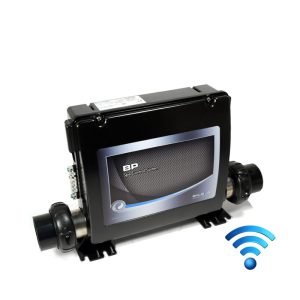
Control Boxes, Spa Packs & Topside Controls
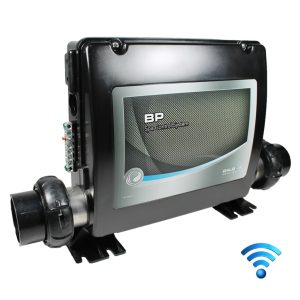
Balboa Control Boxes Only
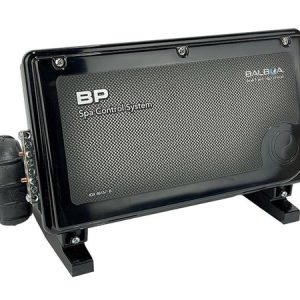
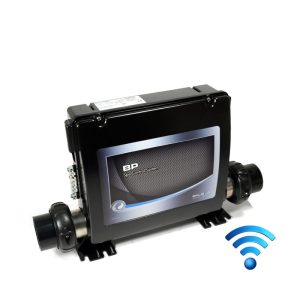
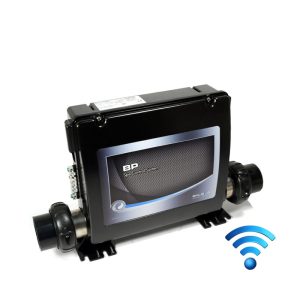
Balboa BP6013G2 Smart Spa Control System | 3.0kW | Triple-Pump with M7 Technology
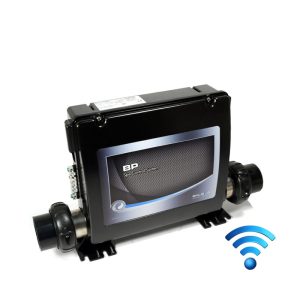
Control Box Only
Control Boxes, Spa Packs & Topside Controls
Control Boxes, Spa Packs & Topside Controls
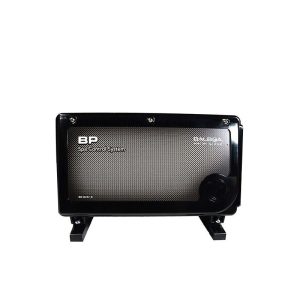
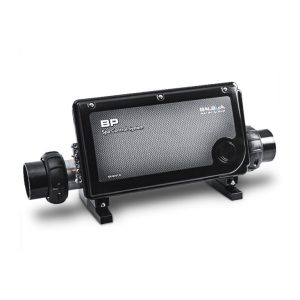
Balboa BP6013G3 Spa Control System | 3.0kW | Triple-Pump with M7 Technology
Control Boxes, Spa Packs & Topside Controls
Control Boxes, Spa Packs & Topside Controls
Control Boxes, Spa Packs & Topside Controls
Related products
Control Boxes, Spa Packs & Topside Controls
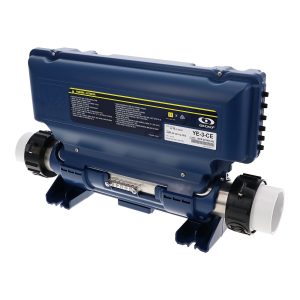
Gecko IN.YE-3 Control Box 3kW (V2) – Reliable Spa Control System
Control Boxes, Spa Packs & Topside Controls
Control Boxes, Spa Packs & Topside Controls
Control Boxes, Spa Packs & Topside Controls
Control Boxes, Spa Packs & Topside Controls
Control Boxes, Spa Packs & Topside Controls
Control Boxes, Spa Packs & Topside Controls